Integrated Genome Browser - Early Access
Click here for the released and tested version of IGB.
Early Access? What's that?
Early Access releases are the latest development version of IGB, which includes the latest improvements, including many requests from users. However, this early access version has not been thoroughly tested.
To get the latest stable version of IGB, visit the IGB download page.
Install Early Access IGB on Mac
The Early Access installer for Mac is not notarized. To install this unnotarized version, do the following steps.
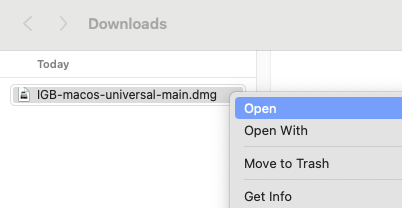
- Right-click and select Open on the .dmg file.
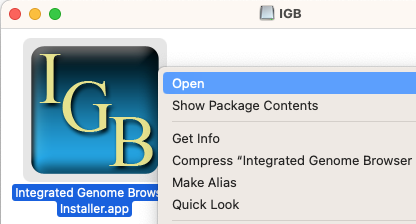
- Right-click on the IGB icon and select Open.
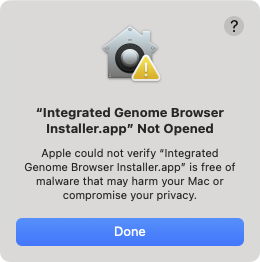
- Click Done if a popup appears saying the IGB installer was not opened.
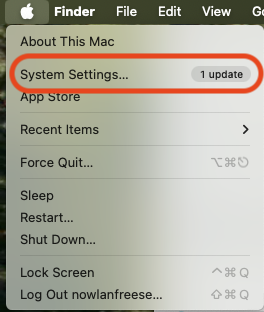
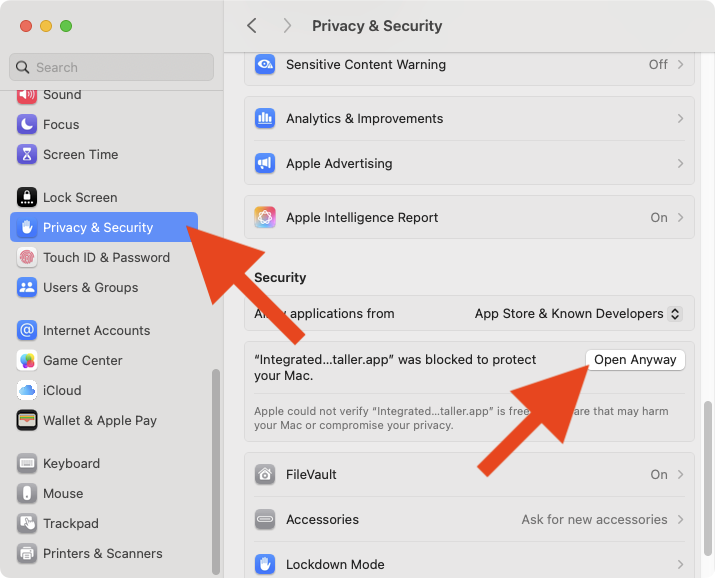
- Navigate to the System Settings on your Mac.
- Select the Privacy & Security tab, scroll down, then click Open Anyway.
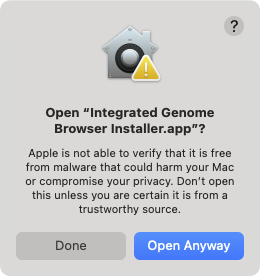
- Click Open Anyway in the window that opens.
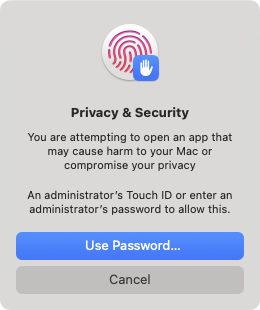
- Use your password or Touch ID to proceed.
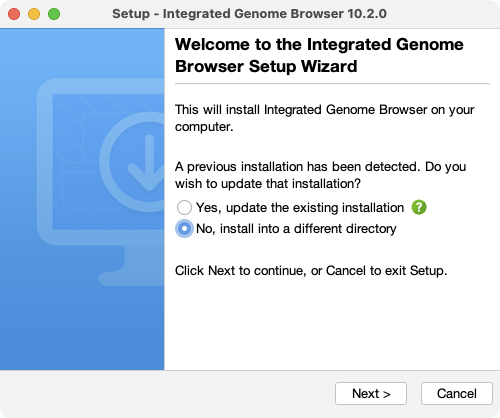
- Follow the installer instructions.